Fast
Startup and scrolling feel instant, even at 100,000 requests. The proxy adds microseconds, not milliseconds.

Neko Proxy
A fast, free HTTP and HTTPS debugging proxy. Inspect traffic from your browser, terminal or phone, mock and pause requests mid-flight, and let your AI assistant read along.
Free and open source · macOS 13+ and Linux
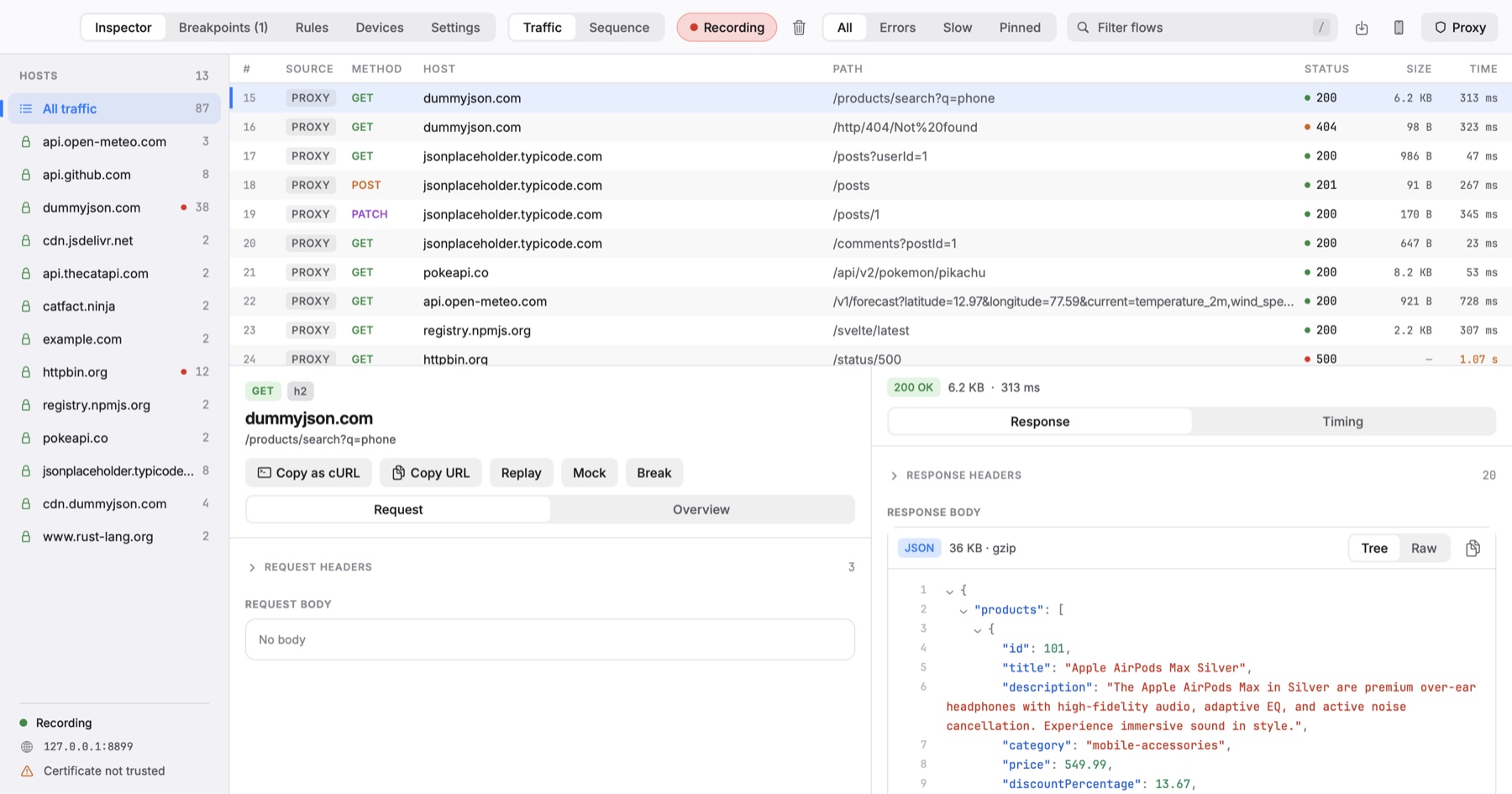
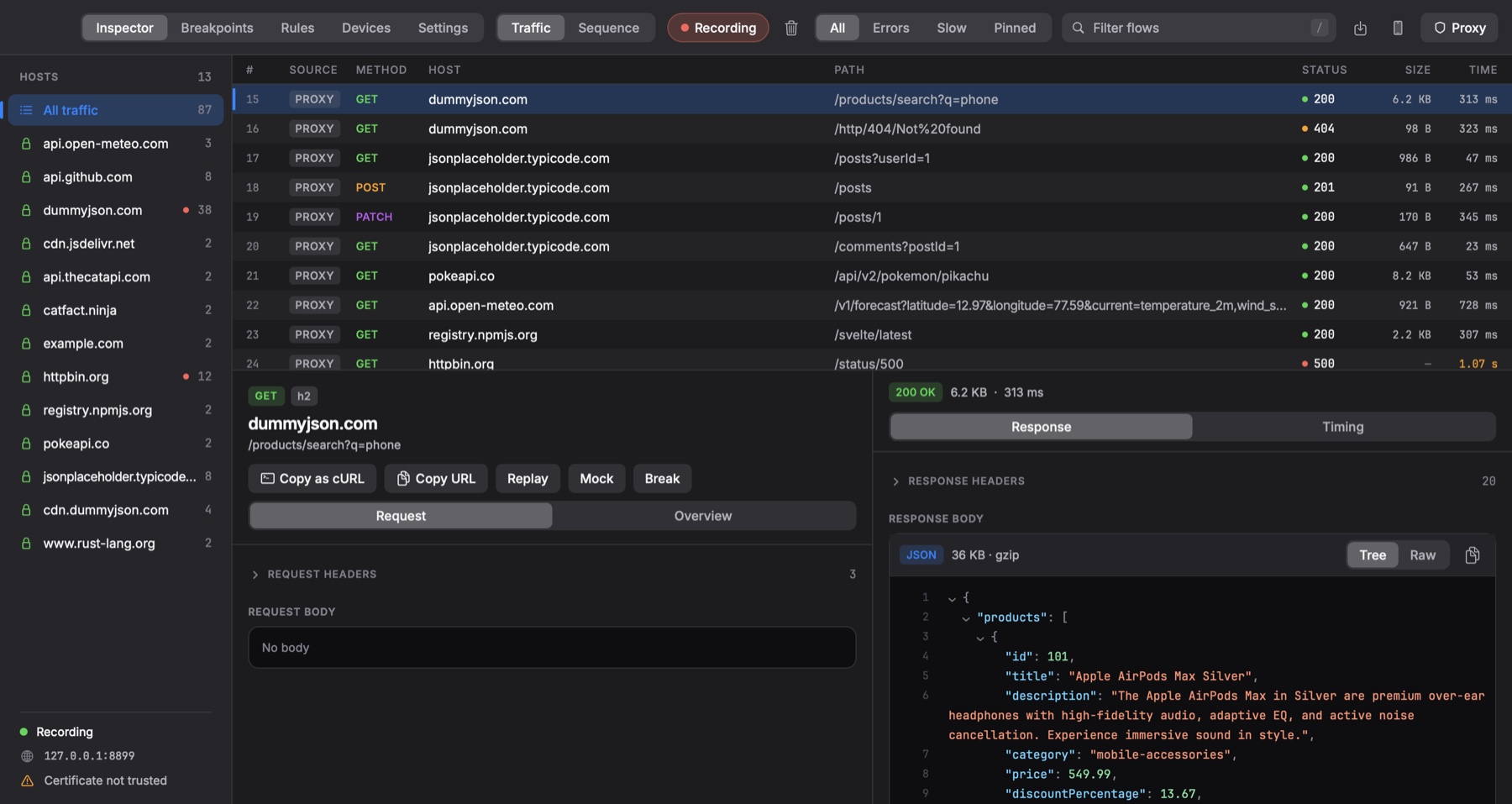
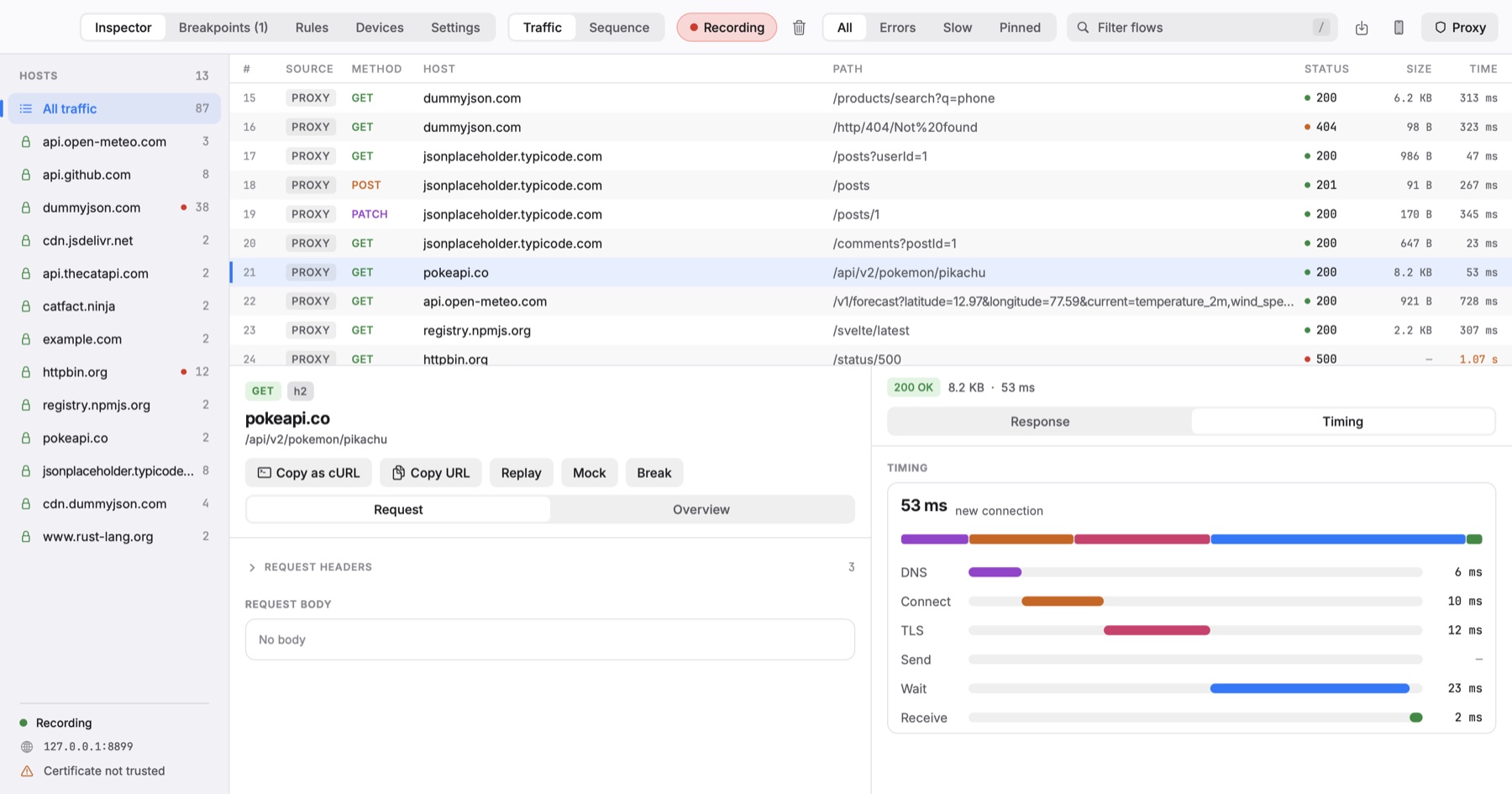
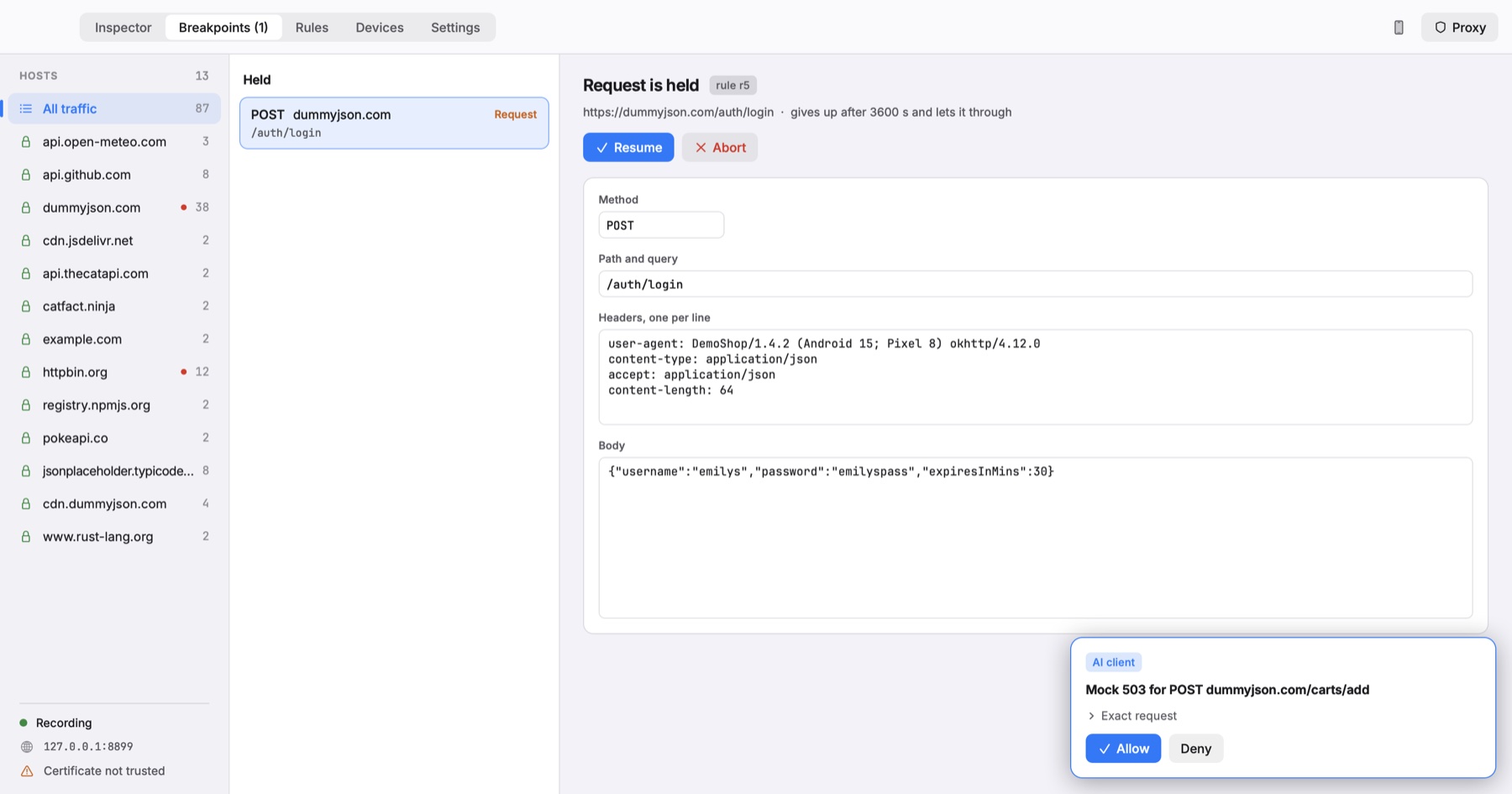
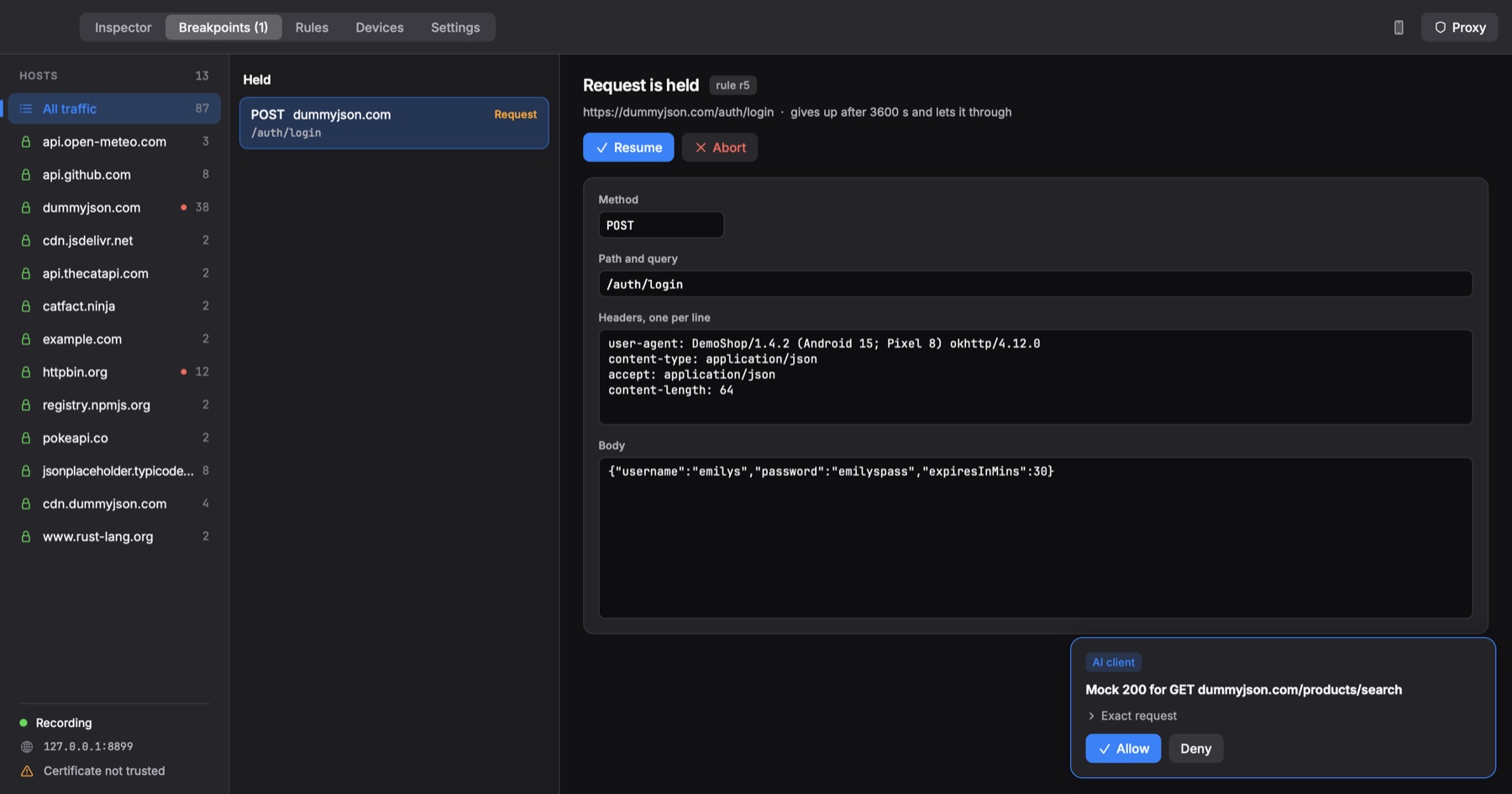
Real traffic, captured by Neko on a Mac, with one mock, one throttle and one breakpoint switched on.
Every app talks to a server, and when something breaks, the answer is almost always in the traffic. The tools we reached for were slow, closed and paid, phones were a scavenger hunt, and our AI assistants were blind to the wire. So we built the proxy we wanted: fast enough to forget about, simple enough to set up in a minute, open to everyone, and ready for AI from day one.
The proxy everyone uses is a paid, closed-source Java app.
Free and open source under MIT or Apache-2.0. Read it, fork it, ship it inside your team.
Big sessions make the window stutter, and it takes a while just to start.
A Rust core that is ready in 18 ms, and a native app that draws its first frame in about 200 ms.
Getting a phone to trust the certificate is a scavenger hunt through settings.
One page at neko.local walks each platform through it. The in-app SDK skips it for your own app.
Mocks and breakpoints feel bolted on, buried in dialogs.
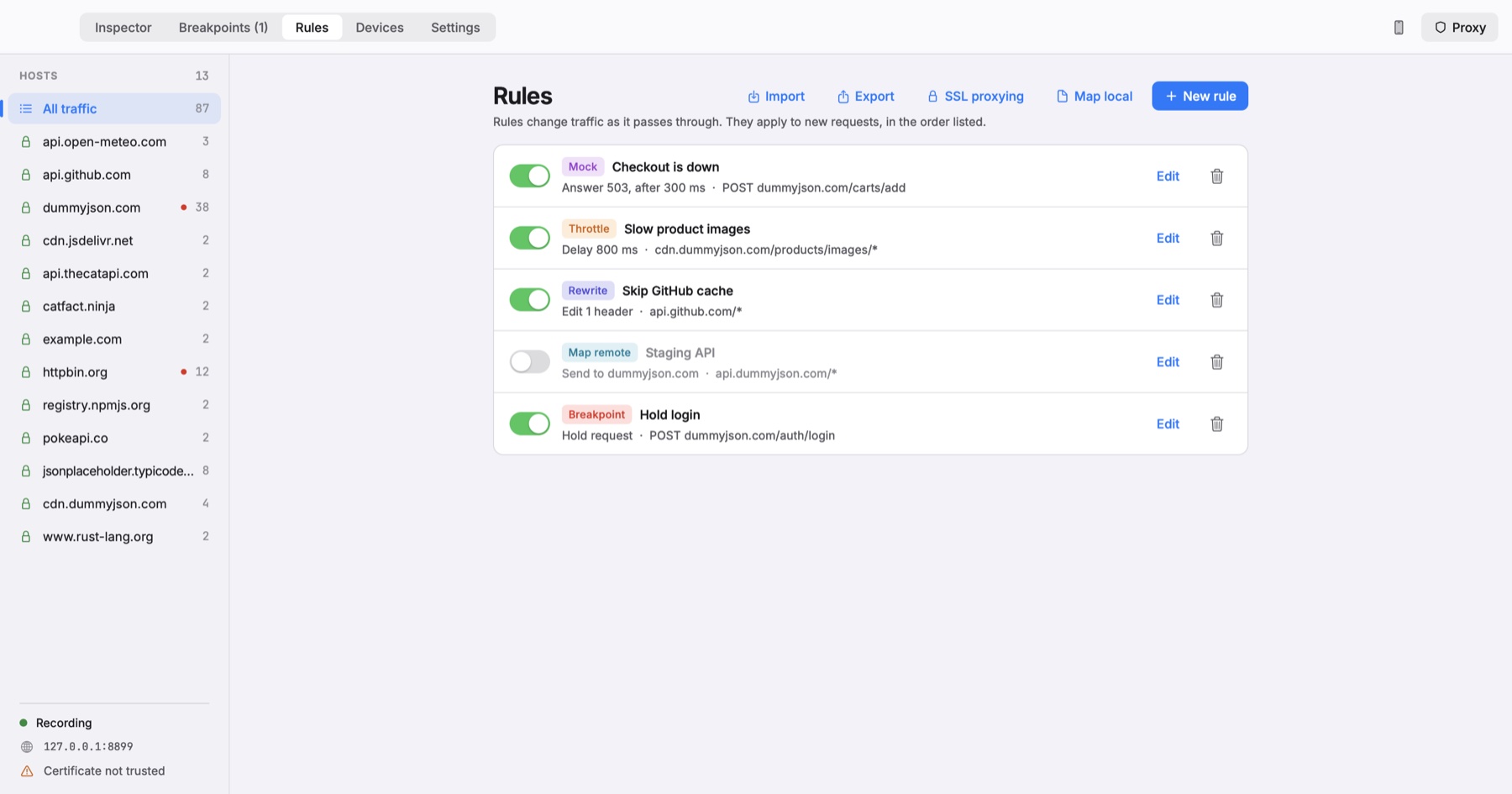
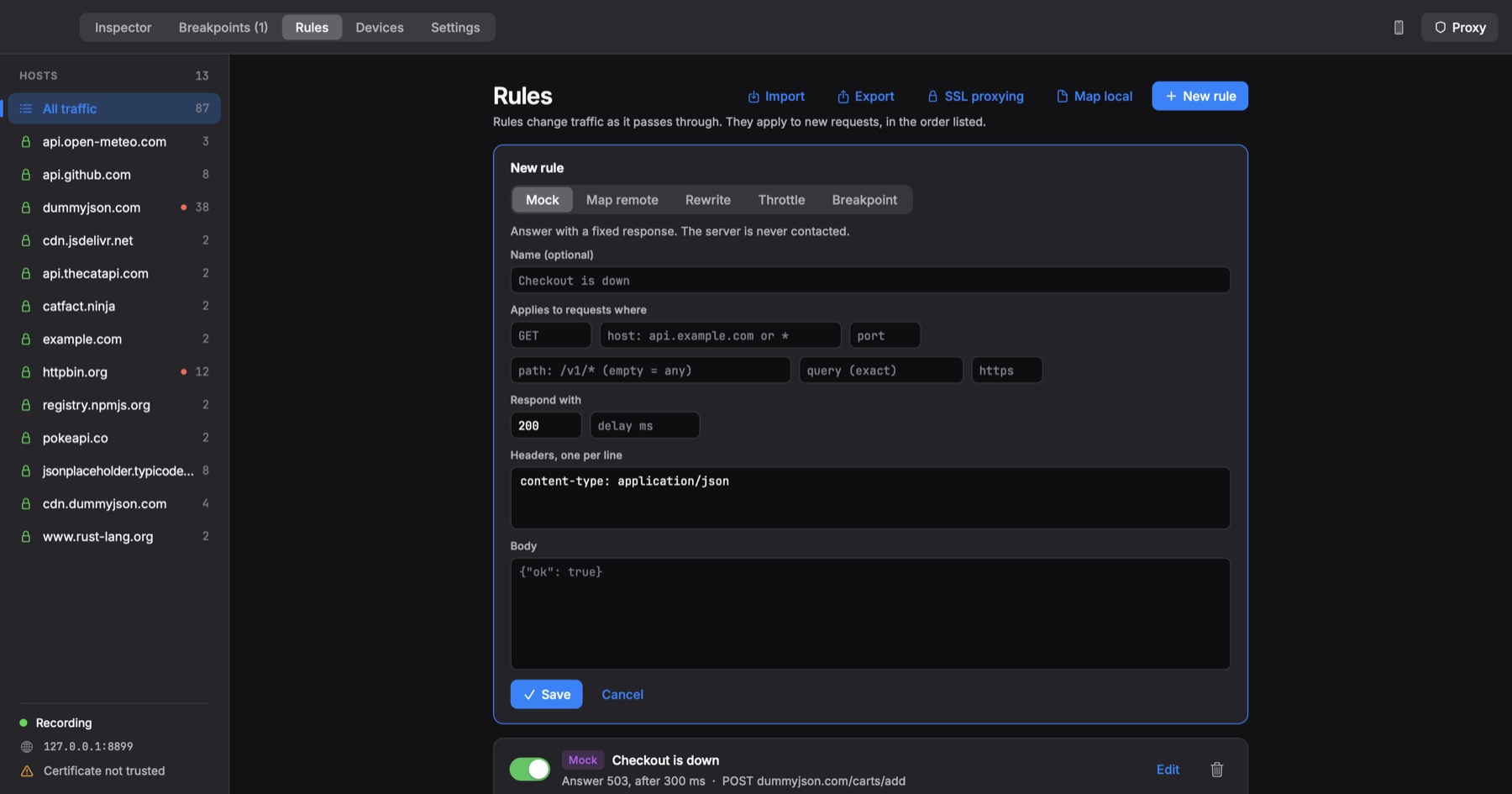
Mock, map, rewrite, throttle and break are first-class rules, one click from any request.
Your assistant can’t see the traffic you’re staring at.
A built-in MCP server lets Claude search flows and propose rules, with secrets redacted and your approval required.
The goals every change is measured against. They’re written into the project’s design notes, and the benchmarks keep them honest.
Startup and scrolling feel instant, even at 100,000 requests. The proxy adds microseconds, not milliseconds.
Zero-config capture. A phone is one Gradle line or one web page away, not a tutorial.
MIT or Apache-2.0. Your traffic, your certificate and your rules stay on your machine.
An MCP server lives in the core, so a local Claude session can read traffic and propose fixes.
The constraints new work must not break.
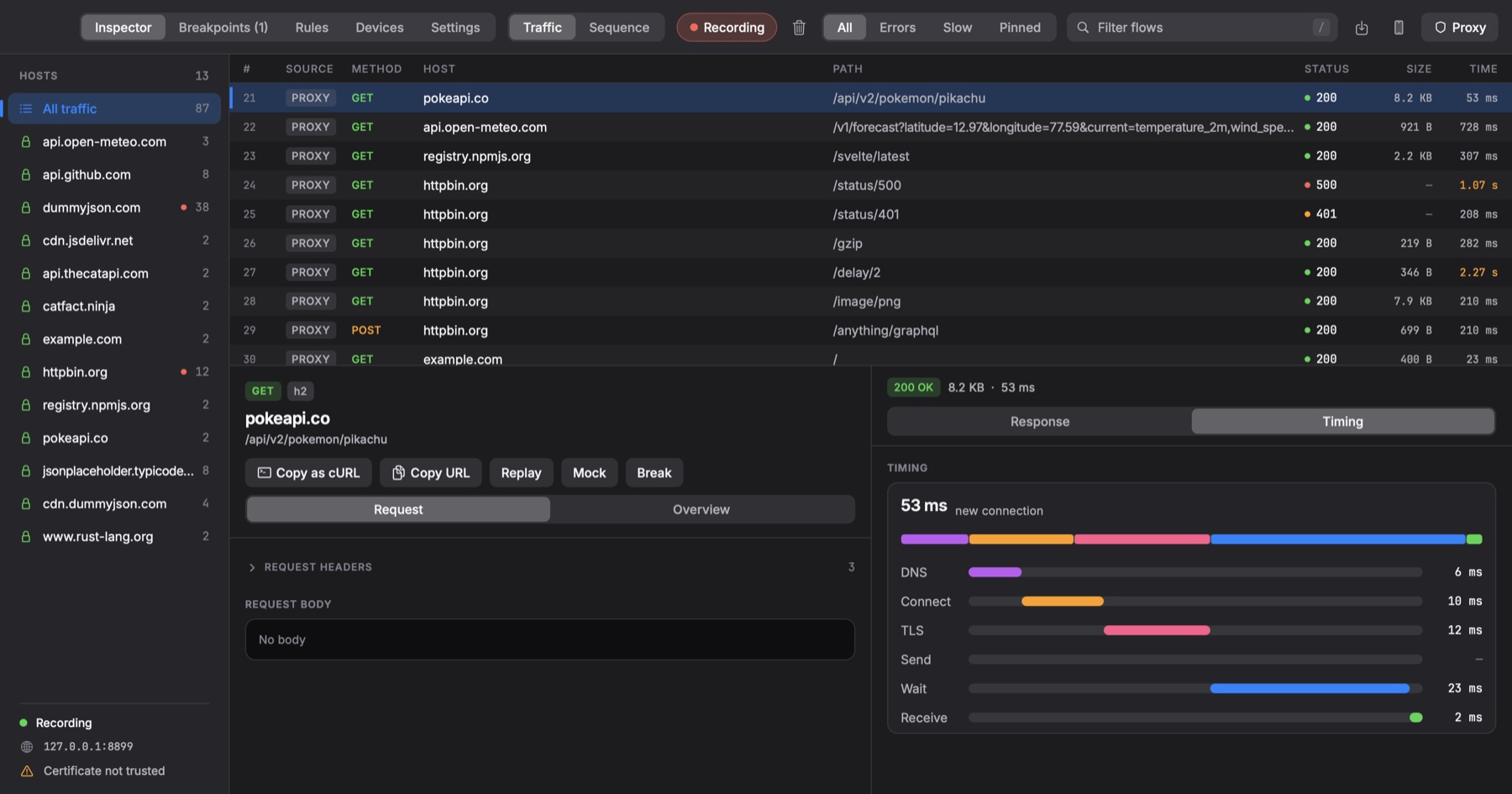
Real screenshots of the Neko app, recorded while it captured live traffic. Drag, swipe or pick a screen.
Hosts on the left, flows in the middle, the full request and response below. Bodies are decoded for you: gzip, brotli and zstd unpacked, JSON folded into a tree, images previewed.
The data path never waits on the UI or the disk. Your app gets its response first, and Neko writes things down afterwards. Tap a step to follow a request through.
A connection arrives on 127.0.0.1:8899: plain HTTP, CONNECT or SOCKS5.
neko-netlisteners, HTTP/1.1, HTTP/2, WebSocketneko-tlsCA, leaf cache, pinning detectionneko-flowflow model and pipelineneko-rulesmock, map, rewrite, throttle, breakneko-storeSQLite WAL, zstd blobs, FTSneko-decodegzip, br, zstd, JSON, imagesneko-apiWebSocket + protobufneko-mcpMCP server and redactionneko-cliheadless runs, HAR exportEvery goal was set before the first line of code and benchmarked from the first milestone. Release builds on a 12-core Linux desktop.
0ms
Goal: under 50 ms
0.000ms
p50. Goal: under 2 ms
0req/s
12× the goal of 5,000
0ms
Slowest query. Goal: under 100 ms
0ms
Goal: under 1 s
0.0MB
Goal: under 40 MB
Overhead and throughput are plain HTTP with the origin on the same machine, so treat them as lower bounds. Method and caveats: docs/bench.md.
Neko ships an MCP server inside the core. Point Claude Code, or any MCP client, at it and it can search your captured traffic, explain a failing call, diff two requests or set up a mock, while you stay in charge.
› Checkout fails on the Pixel. What’s going on?
⏺ proxy · search_flows status:5xx host:dummyjson.com
⎿ 1 flow · POST /carts/add → 503 in 301 ms
⏺ proxy · get_flow 12
⎿ matched rule “Checkout is down” (mock) · server never contacted
authorization: [redacted]
The 503 isn’t from your backend: a local mock rule named “Checkout is down” is answering every POST /carts/add. Want me to replay the request against the real server to compare?
› Yes, replay it.
⏺ proxy · replay_request 12
⎿ waiting for approval in Neko…
Replay POST dummyjson.com/carts/add
› Exact request
An example session. The tool names and the approval card are real.
list_flowssearch_flowsget_flowdiff_flowsexport_har
create_mockadd_breakpointreplay_requeststart_capturestop_capture
Authorization, cookies, API keys and token-shaped values are redacted in the core, and captured bodies are marked as untrusted data, so a response can’t steer your assistant.
The server listens on 127.0.0.1:8898 and rejects anyone without the bearer token. One command prints the setup line:
nekod mcp
# claude mcp add --transport http proxy http://127.0.0.1:8898/mcp \
#   --header "Authorization: Bearer …"
Proxying a phone used to mean Wi-Fi settings, a certificate download, a trust toggle three menus deep, and an app that ignores it anyway. Neko gives you a shortcut for your own app and a guide for everything else.
Add one Gradle plugin to a debug build. The app finds Neko on its own: emulators and USB phones connect automatically, Wi-Fi phones confirm a six-digit code. No proxy settings, no certificate, and nothing ships in release builds.
// settings.gradle.kts: add the Neko repository
pluginManagement {
    repositories { maven("https://bharath914.github.io/neko-proxy-sdk-maven/"); google(); mavenCentral(); gradlePluginPortal() }
}
dependencyResolutionManagement {
    repositories { maven("https://bharath914.github.io/neko-proxy-sdk-maven/"); google(); mavenCentral() }
}

// app/build.gradle.kts: one plugin, debug builds only
plugins {
    id("com.android.application")
    id("dev.nekoproxy.inspector") version "0.1.0"
}
Point any device at the proxy and open http://neko.local. Neko serves its own certificate page: the right steps for that platform, PEM, DER and an Apple profile, and a live check that turns green once the device trusts it.
Every install creates its own certificate, and its private key never leaves your computer. That’s why there’s nothing to download from this website.
Certificate guide for every platformCapture core first, then the app, then rules and AI, then phones. Here’s where things stand.
Free, open source, and yours to keep.
macOS 13 or later · Apple silicon and Intel
See releasesglibc 2.35+ · Ubuntu 22.04, Debian 12, Fedora 36, RHEL 9 and newer
See releasesOn the roadmap
Needs only Rust, plus Swift for the Mac app. The app starts the core for you and stops it when you quit.
git clone https://github.com/bharath914/neko-proxy.git
cd neko-proxy
cargo run --release -p neko-desktop
# needs only Rust from rustup.rs
All releases · Source code · MIT or Apache-2.0